Where have my files gone?
Converting to DNG and rendering previews. Finding my files.
Conversion to DNG

During the Import phase your RAW files are converted to DNG and saved into the Working_Folder. The rate of progress is visible in the Progress Bar (1).
As as each image is converted, they will appear in the Grid View (2).
Rendering Previews
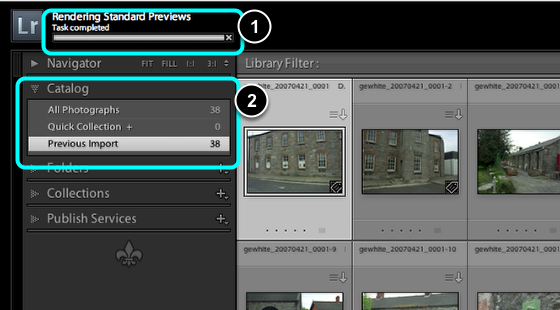
Previews of each file are then rendered and saved to the catalog. The rate of progress is visible in the Progress Bar (1).
Your last import of images is always visible in the Catalog panel, grouped under Previous Import.
Where is this file now?

CTRL + Click on an image in Grid View, then select Show in Finder, will reveal the individual image file in the Finder.
Finder view
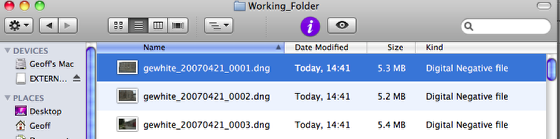
The file is now revealed in the Finder.
View of Download_Folder and Working_Folder
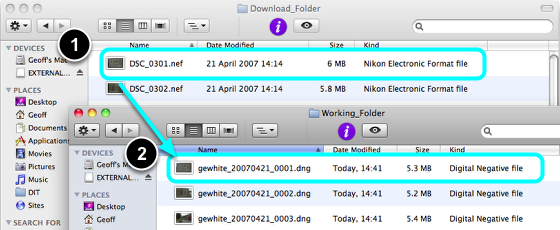
If you open both folders you will notice there are now two sets of identical image files. (1) contains the original camera files, the second contains the same files only converted to DNG Raw. The DNG files will also have any added metadata which you applied during import such as IPTC Creator and Copyright data.