Setting your Copyright
In this lesson you will set yourself as the copyright owner of the material that you produce. This metadata should be automatically embedded in all imported and exported image files.
IPTC Copyright
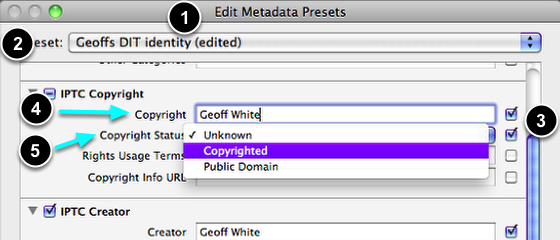
- Open Edit Presets again
- Scroll down to IPTC Copyright.
- Ensure that the first two boxes are both ticked.
- Enter your full name.
- From the drop down menu, select Copyrighted.
Save changes
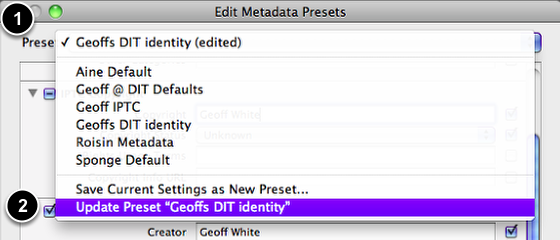
- Go Presets.
- Select Update Preset "Your Name"
Complete this step

Complete the process by selecting Done.