Making your Identity Plate
In this lesson you will make a Name Plate to disply on the top let of the Lightroom interface
Preferences

Go to Preferences > Identity Name Plate ...
Enter name

- Select the current name plate. Type in your name in its place.
- Change the typeface if you wish.
- Adjust the weitght and size if you also

Name the identity plate!
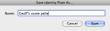
Give your name plate a name. Save.
New identity plate
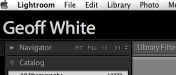
Your identity plate will now be visible.