Making a path of a square
In this tutorial you will make a path using a square as a guide.
Pen Tool

Select the Pen Tool from the Tools Palette.
Path area

Ensure that the Add to Path Area (+) button is selected above.
Square file

Open the work sample file for the square.
First anchor point

Place the Pen Tool cursor over the top left spot .
Click the mouse and release. This will make an Anchor Point.
Second point
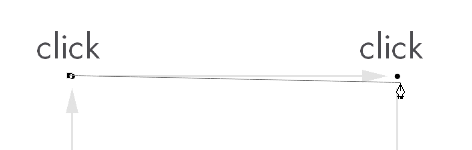
Place the Pen Tool cursor over the top right spot .
Click the mouse and release again. Now continue to the third spot.
Note: the path extending back to the first anchor point.
Closing the path
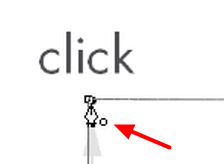
To close the path, place the cursor over the first anchor point (top left), when the small circle is visible to the right of the cursor Click the mouse to close the path.
Paths palette
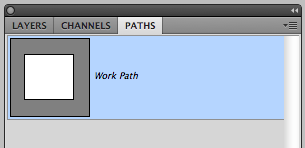
Open the Paths Palette to make a path active, or to deselect it..
The Path Palette is normally grouped by default with the Layers and Channels Palettes.