Combining angle and curves in a path
In this tutorial you will make a path which combines the use of angles and curves
Pen Tool
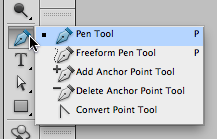
Select the Pen Tool from the Tools Palette.
Angles and curves sample
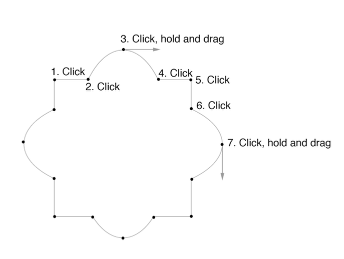
Open the work sample file for the angles and curves.
Angle points

Starting at spot 1 join to spot 2.
First curve
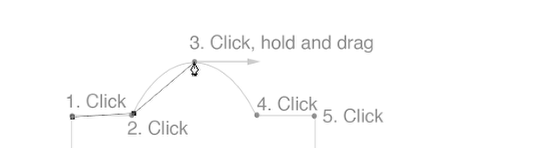
Place cursor over spot 3,
Straight line to curve
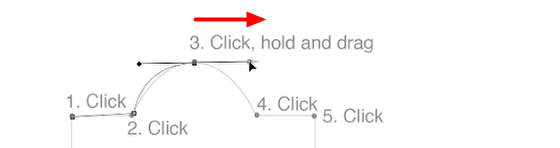
Click, Hold and Drag in the direction of the arrow to create an anchor point with curved line behind it.
Complete the half circle
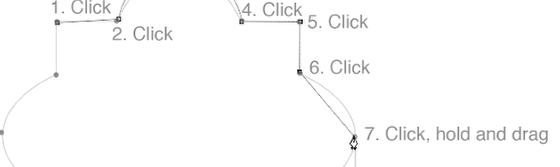
Click on spot 4 to complete the half circle.
Corners again
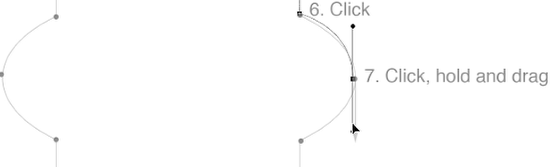
Click (no Hold or Drag), on spots 5 and 6 to make angled anchor points.
Next curve

Spot 7, Click, Hold and Drag. Place cursor to spot 8 to complete the half circle.
Now finish the rest of the exercise.
Paths Palette
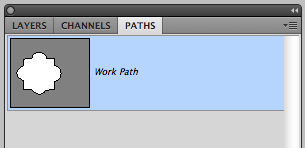
Open the Paths Palette to make a path active, or to deselect it.