Stars
A more useful way of editing is to use the Star System. This allows for a graded selection of images rather than the more absolute Flag system.
This method is better for editing large numbers of images.
The Editing Pyramid
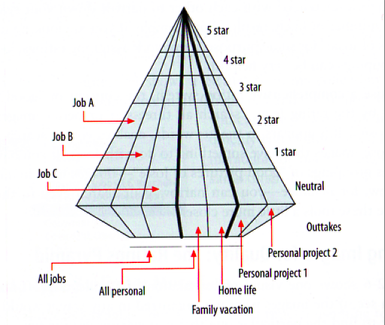
The editing process should be seen as a "Pyramid".
The best, and rarer, material near the top, the bulk of your material further down. Rejects and Outtakes at the bottom.
The Star Ratings

View this as a guide to how you should edit your digital material.
Images which show bad technique or processing, should not be rated without a good reason. "I like it", is not a good reason!.
Setting the Rating
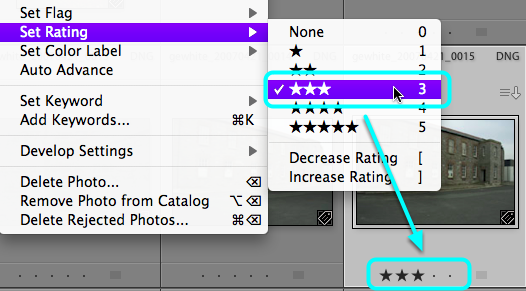
Select an image in Grid View.
Go: Photo > Set Rating > Choose a Rating
Rating shortcuts
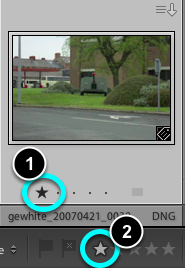
- Click on the dots below each image to set a Rating.
- On the Toolbar, select a Star Rating.
- Use the Keyboard numbers (#) to set a rating. Zero can be used to remove a rating.
- SHIFT + #, this will set the Rating and move the selection to the next image.