Create an Export Folder
In this lesson you will make a new Folder for exported image files.
External Drive
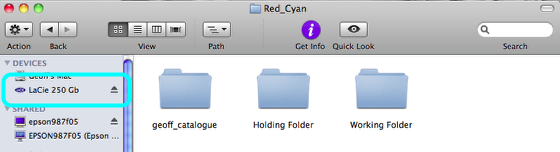
Navigate to your External drive and find your Holding and Working Folders.
Create New Folder
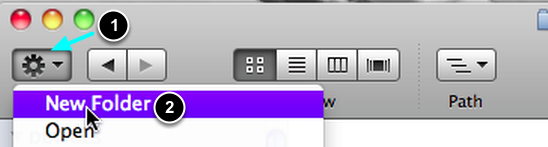
- Select the TASK Button.
- Select NEW FOLDER from the menu
Name it
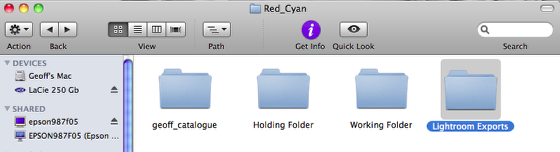
Name the folder Lightroom Exports.
Ensure that this folder is in the same location as the Holding and Working Folders, and not inside one of them.